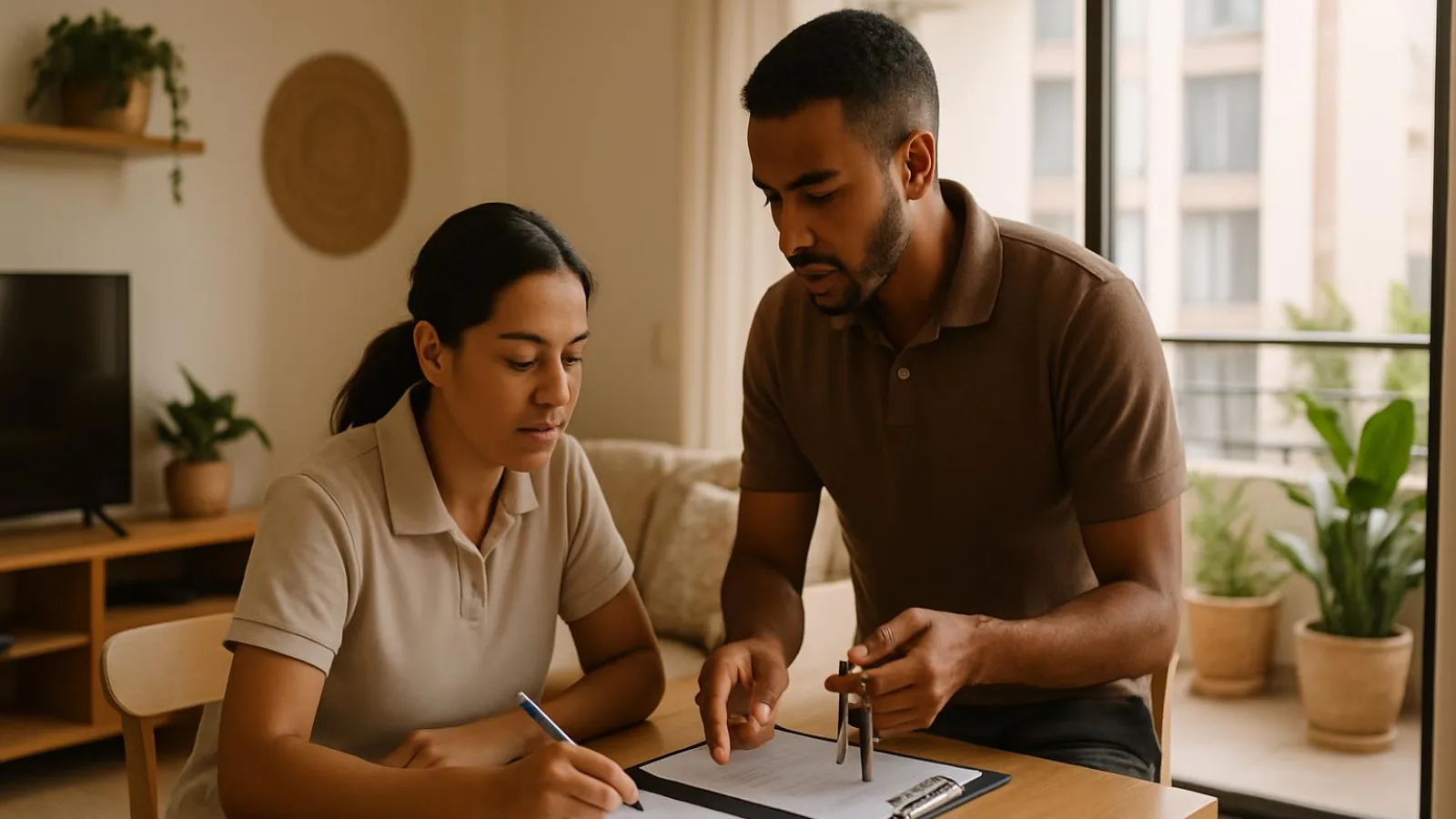
Give the message one clear job
Your arrival message has one job: get the guest from the street to the correct apartment without guessing, with a clear fallback if they cannot continue. Write for someone who has never seen the building and is reading on a phone outside. Do not assume they recognise the entrance or know how reception works.
Use apartment 402 as an illustrative example. Keep the route easy to follow:
- Written address and recognisable entrance, alongside the map pin.
- Reception step, if applicable, and the route to the correct floor.
- Apartment 402’s door and how to enter.
- Monitored contact channel, coverage hours and an alternative if the guest gets stuck.
Keep the house manual, promotional content and internal staff notes elsewhere. Every paragraph here should help the guest move forward or get help, not make them search through unrelated information.
Tip: A map pin does not prove the guest found the entrance. A scheduled message does not prove they got inside.
Test the route as a first-time visitor
Start on the street, not at reception. Walk the whole route, from the written address to the apartment door. A map pin can identify the right property while sending a guest to the wrong side of the block.
1. Check where the map actually sends you
Open the map link on a phone without a staff login. Compare its destination with the written address, then walk there. Does it lead to the pedestrian entrance or the vehicle gate? If these are separate, name the entrance guests should use and describe a visible feature. Avoid relying on a nearby shop that may be closed when they arrive.
2. Follow every transition to the apartment
Walk through the entrance, any reception step, the lift or stairs, the floor and the final door. Match the wording to the signs a visitor can actually see. Where there are several lifts or corridors, put the instruction at the point where the guest must choose.
For illustrative apartment 402, “go to the fourth floor” is incomplete if the building has two towers. Identify the correct tower before describing the route to the door marked 402. Do not infer the floor from the apartment number alone.
3. Run a test without coaching
Ask a teammate unfamiliar with the instructions to follow them on a phone. Give no extra directions. Note every pause, wrong turn and question, including the exact step, what the tester could see and what information was missing.
Open every link without staff permissions. Test the published phone number too, arranging the test with the person answering it. Check that it reaches the intended contact, rather than merely looking correctly formatted.
Tip: If you have to explain a step during the test, put that explanation into the instructions.
4. Add photos only where they help
Use a small selection: the entrance from the street and, if necessary, a confusing junction. Exclude guests, documents, screens, access codes and identifiable keys. A photo supports the written address; it does not replace it.
If you describe a step-free route, walk its full length. Check doors, level changes and whether the lift works. Do not promise unverified accessibility or assume an alternative entrance will be available.
5. Fix the exact failure and retest
Rewrite each instruction that caused hesitation, then repeat that part without coaching. Finish with this check:
- The address and map lead to the stated entrance.
- Pedestrian and vehicle access are clearly distinguished.
- Reception, tower, floor and apartment door are identifiable.
- Links and the contact number work without staff access.
- Photos reveal no sensitive information.
- The tester completes the described route without extra directions.
Verify the booking, apartment and access
Assign one person to approve the release of access instructions. Their job is to match the booking to conditions at the property. A scheduled message proves neither working access nor a ready apartment.
1. Match the booking to the recipient
Check the booking reference, stay dates, assigned apartment and intended recipient’s contact channel. Never reuse another conversation’s instructions without checking those fields. If the recipient differs from the recorded contact, resolve that through your verification process before sharing access details.
2. Confirm operations, not just delivery
Ask the housekeeping lead to confirm that the specific apartment is ready. “Cleaning in progress” is not clearance to hand it over. Check for unresolved problems that prevent occupancy too.
Use the same statuses for message scheduling and shift handover. Keep message delivery separate from operations: no delivery status proves the guest entered.
| Group and status | Evidence | Who records it |
|---|---|---|
| Delivery: scheduled | Visible pending send | Messaging owner |
| Delivery: sent | Channel’s outgoing message record | Messaging owner |
| Delivery: read, where supported | Channel’s read receipt | Messaging owner |
| Operations: access verified | Entry method, door and validity checked | Access owner |
| Operations: apartment ready | Housekeeping confirmation and blocking issues resolved | Handover owner |
| Operations: entry confirmed | Direct confirmation from the guest or staff who accompanied entry | Arrival owner |
3. Check the entry arrangement
Verify the code, key or in-person handover, the correct door and access validity for this booking. If reception is involved, confirm staff have the right assignment and can cover the expected arrival. A reception desk does not guarantee coverage.
Tip: Release access because the checks passed, not because an automated message reached its scheduled time.
4. Repeat the checks after an apartment change
For an illustrative move to apartment 402, recheck the recipient, floor, door, readiness, access and reception arrangements. Stop pending messages with previous details. Withdraw obsolete instructions where possible and clearly identify their replacement. If you already shared a credential, check how to invalidate it before issuing another.
Is any confirmation missing? Share only verified location information, without promising entry. Assign someone to resolve the gap and someone to provide the next guest update.
- Booking and recipient match.
- Housekeeping has confirmed the apartment is ready.
- Access and reception arrangements are verified.
- Obsolete sends are stopped and previous instructions corrected.
Keep arrival directions separate from identity collection. Do not request passport images in a public chat. Check with Migración Colombia and MinCIT which guest reporting and verification processes apply to your operation. Consult the Superintendencia de Industria y Comercio on personal-data handling. Collect only necessary information through an appropriate channel.
Send the right information at the right time
Send location and arrival planning details before the stay. Separate directions from permission to enter: knowing the address does not mean the apartment is ready.
Base each release on a confirmed event, rather than an automatic send time that ignores what is happening at the property.
| Stage or trigger | Guest information | Prerequisite | Responsible role | Response to a change |
|---|---|---|---|---|
| Booking confirmed | Confirmation and general location | Booking and recipient checked | Reservations | Correct affected details |
| Arrival planning | Written address, checked map, entrance and reception step | Route and reception arrangements confirmed | Reception | Send revised directions |
| Access verified | Instructions for the assigned apartment | Apartment ready, access checked and booking matched | Reception, with housekeeping lead confirmation | Hold the message if any check is missing |
| Readiness delayed | Actual status, next update and confirmed luggage option only | Update time and owner agreed | Reception | Update even if the delay remains unresolved |
| Correction confirmed | Complete instructions replacing the earlier version | Change checked against the booking | Assigned case owner | Withdraw obsolete details where possible |
1. Decide what you can release
- Ask: does this help the guest plan, or let them enter? Send verified planning details ahead. Hold access instructions until access and readiness are confirmed.
- Before releasing the message, check that its details still match the booking. If the assigned apartment changes, pause pending messages containing the old instructions.
- If readiness is delayed, explain what remains unresolved and when you will update the guest. Give that update to a named person, not an undefined “reception team”. Offer luggage storage only when its availability has been confirmed.
2. Keep one clearly valid set of instructions
When something changes, do not send fragments the guest must assemble. Send the complete corrected block, headed “Current instructions for your arrival”, and identify the message it replaces. Edit or remove obsolete details where the channel allows it. Do not assume that removes an earlier copy from the guest’s phone.
Tip: Every promised update needs a named owner. Silence can contradict your message just as much as an incorrect code.
Track scheduled, sent, read and confirmed entry as different states. Sent or read is not proof of entry. Keep an unknown arrival outcome marked as unknown until you have confirmation, rather than treating message delivery as a completed arrival.
Use a template that gets guests to the door
Keep advance directions separate from authorised access. The first message helps guests find the building and plan their arrival. It contains no credentials and makes no promise of entry. Send the second only after checking the recipient and booking, confirming the apartment is ready and verifying the access method.
Use these templates for email or chat. Keep the subject line for email; start with the greeting in chat. Replace placeholders with checked information. Remove unused fields and optional paragraphs before sending.
Advance directions message
Subject: Getting to [property name] on [arrival date]

Hi [name], here is the location of [property name] to help you plan your arrival. This message does not authorise entry to the apartment. We will send access instructions once we have confirmed that the apartment is ready and access is enabled.

1. Address: [full street address, city]. Map location: [checked map link].

2. Pedestrian entrance: [description visible from the street that distinguishes it from the vehicle entrance].

3. When you arrive: [confirmed reception step or meeting point].

Contact us through [channel and number or account], monitored [days and hours, Colombia local time].

If you have no mobile data or receive no reply, [checked alternative independent of that channel: where to go and whom to ask for].

Luggage storage: [confirmed location, hours and conditions].

Transport: [confirmed meeting point and arrangements].
Luggage storage and transport are optional. Include them only when you have confirmed the arrangements for this arrival.
Authorised access message
Subject: Your apartment access at [property name], [date]

Hi [name], your apartment is ready. Here are the access instructions for your booking at [property name].

1. Go to [full street address, city]. Map: [checked map link]. Use [pedestrian entrance description].

2. At reception: [confirmed step]. Continue to tower or block [visible identifier and directions to reach it].

3. Take [lift or stairs]. If there are several lifts, choose [visible identifier for the correct lift]. Go to floor [floor].

4. On leaving the lift or stairs, follow [recognisable corridor and turning directions]. Your apartment is [number]. Look for [door label].

5. To enter: [access instructions verified for this booking, including the validity period where relevant].

If the door will not open, do not force it. [Checked safe place to wait]. Contact us through [channel and number or account], monitored [days and hours, Colombia local time].

If you have no mobile data or receive no reply, [checked alternative: where to go, whom to ask for and how to get help without relying on the same channel].
Check before sending
Keep the numbering short and consecutive. Remove irrelevant reception, tower or corridor instructions and renumber as needed. Describe visible landmarks rather than staff shorthand. For arrivals around midnight, specify the date and Colombia local time rather than saying “tomorrow.”
Tip: Treat the access message as a release decision, not another scheduled greeting. Apartment ready and access verified are sending conditions, not reassuring phrases.
- No empty placeholders or unconfirmed optional services remain.
- Advance directions contain no credentials or promise of entry.
- Access details match the verified recipient, booking and apartment.
- Tower, lift and corridor choices are explicit wherever needed.
- The contact and fallback are available during this arrival.
- No internal notes or personal documents appear.
Keep housekeeping checks and staff assignments outside the guest-facing message. Never store live access credentials in an unrestricted shared template.
Work through two arrivals step by step
These are illustrative examples, not property policies. The building details, times and arrangements are invented for practice. Use them to rehearse two different responses: correcting a wrong route and managing an arrival while apartment readiness remains unconfirmed.
1. Redirect a guest from the vehicle entrance
The guest booked into apartment 402 messages from the car park entrance. The original instruction said: “Follow the map pin and go up to 402.” The pin sent them to the wrong side of the block. The missing information is a checked pedestrian route, not another request to follow the map.
- Establish their location. The receptionist asks whether they can see the car park sign. They do not tell the guest to walk down the vehicle ramp.
- Check the walking route. In this example, the receptionist confirms that the pedestrian entrance is back at the corner, around to the right, beneath a blue reception sign.
- Arrange the key handover. Confirm that the colleague at reception expects the guest, will complete the appropriate booking verification and will hand over the checked key for 402. Also verify an alternative phone number that someone is answering now.
- Send one complete correction. Include the written address and explicitly replace the earlier directions. Do not make the guest assemble a route from separate messages.
Adapt this message only after checking the details:
Subject: Corrected arrival directions for [property]

Hi [name]. Please use these directions instead of our earlier message.

The address is [verified address]. From the car park sign where you are now, walk back to the corner and turn right. The pedestrian entrance is beneath the blue reception sign. Do not use the vehicle ramp.

Go to reception and give your booking details. The receptionist will complete the verification process and give you the key to apartment 402. They will then direct you to the lift for floor 4. Find the door marked 402 and use that key to enter.

If you cannot find the blue sign, stop and message us through [channel monitored now]. If that channel fails or you get no response, call [verified alternative phone number answered now]. If you are already at reception or the key does not work, ask the receptionist for help before trying to enter.
Internal owner: the receptionist handling the enquiry keeps responsibility until the handoff is confirmed. Closure evidence: reception confirms the key handover, and the guest confirms they entered 402. Correct the map destination and retest the route too. Helping this guest does not repair the instructions for the next one.
2. Handle an arrival before readiness is confirmed
In this separate example, the previous guest checks out at 10:30. The incoming guest arrives at 11:00, before the housekeeping lead has confirmed that 402 is ready. A recorded checkout is not a readiness confirmation.
- Match the booking to the assigned apartment. Ask the housekeeping lead for its actual status rather than inferring it from the departure time.
- Check whether reception can accept luggage. In this example, it can. Agree with the guest to provide an update at 11:20 local time.
- Send a holding message without promising entry or releasing unverified access instructions.
Subject: Arrival update for [property]

Hi [name]. Apartment 402 has not yet been confirmed ready. You can leave your luggage at reception; we have checked this arrangement with the team.

As agreed, I will update you at 11:20 local time, even if confirmation is still pending. This is an update time, not a promised entry time.
Tip: Commit to the next update, not an entry time you cannot yet confirm.
Internal owner: the receptionist owns the next update; the housekeeping lead confirms readiness. Close the case only after access has been verified and the guest has entered, not when the message is sent.
Make the fallback concrete when something fails
Your fallback must work when the main channel does not. Tell guests where they can wait without blocking access, who will help and how to reach that person. State actual monitored hours. An unanswered phone number is not a fallback.
Before travel, ask guests to save the address, contact number and confirmed staffed location with its opening hours for offline use. Ask them to write these down on paper too, in case their phone battery dies. They must be able to reach that location without a phone, and it must be available during their agreed arrival.
1. Assign a response to each failure
Use this matrix only with alternatives you have checked.
| Symptom | Safe guest action | Staff check | Escalation owner | Closure evidence |
|---|---|---|---|---|
| Door will not open | Stop trying and use the stated contact channel | Booking, correct door, access validity and lock condition | Receptionist on duty | Entry to the correct apartment confirmed |
| No mobile data | Call if voice service works, or go to the agreed staffed location | Phone answered; location reachable without a phone and available during agreed arrival | Arrivals lead | Assistance received and entry confirmed |
| Dead phone | Follow the written directions to the agreed staffed location | Location reachable without a phone, open and staffed during agreed arrival | Arrivals lead | In-person assistance and entry confirmed |
| Main contact unavailable | Use the confirmed backup | Backup contact or staffed location actually available | Shift lead | Backup accepts and resolves the case |
| Apartment not ready | Wait in the confirmed location rather than attempting entry | Housekeeping status and any verified luggage option | Reception lead | Readiness and guest entry confirmed |
2. Escalate without improvising access
- Locate the problem: building entrance or apartment door? Ask only for what you need. Never request passport images in a public chat.
- Check the reservation and assigned access. Do not share master codes, suggest following someone inside, bypass identity checks or force a lock.
- Activate a checked alternative. Is someone available now? Without overnight coverage, arrange a handover with someone genuinely available before arrival, or agree on an arrival you can support. Do not advertise round-the-clock assistance.
- Assign the person resolving the issue and the person providing the next update, at an agreed time. Keep the case open until the outcome is confirmed.
Tip: Test the backup without a staff login or mobile data. A second number may help when the main contact is unavailable. It cannot solve a dead phone.
For immediate danger, direct guests to local emergency assistance rather than asking them to wait for ordinary support.
Worked example: a failed code at night
In this illustrative example, the guest for apartment 402 reports a failed code. The night receptionist checks the booking, door and access validity. They confirm they can meet the guest and arrange authorized entry after the appropriate verification. They do not assume a spare key exists.
The message would be: “Please stop trying the lock. Go to reception through the entrance in your arrival instructions. The night receptionist is there and will check your access.”
The receptionist owns the case until entry to 402 is confirmed. Record the cause and resolution without storing codes. An answered message is not a resolved arrival.
Choose where to maintain the instructions
Choose a format that fits where your team reads the instructions and the conditions they work in. Paper works without a connection. A shared document gives staff a common reference. Messaging software puts directions closer to the guest conversation. No storage method guarantees that the apartment is ready or that access works.
| Option | Best for | Strengths | Watch-outs |
|---|---|---|---|
| Paper | A staffed reception desk and offline reference | Needs no battery, connection or login | Sheets can become outdated and may not travel with the receptionist. Keep live credentials off openly available reference pages. |
| Shared document or spreadsheet | Teams consulting instructions across different devices | Makes building directions searchable without digging through conversations | Previously opening a file does not guarantee offline access. Downloads and screenshots can become outdated. |
| Messaging software | Shifts that need directions while replying to guests | Can bring conversations and saved replies together, depending on the tool | Check the actual features and what happens during an outage. Saved text still needs human review. |
Choose for the place of use
If reception operates from a fixed desk, a paper reference can be a practical backup. If staff move between buildings, check that the shared document is readable on a phone. If finding directions during a conversation is the main difficulty, test how easily staff can retrieve them within the messaging tool.
You can combine formats. Aim for one primary tool and a usable backup, rather than several alternatives that nobody can reliably open.
Test the backup offline
- Open the backup on the device you would use during the shift, then disconnect that device from the internet.
- Find the written address, entrance description and available help point. Check that any necessary images remain visible too.
- If a step still requires a connection, prepare an accessible alternative and repeat the test. Keep credentials out of unrestricted backups.
Tip: Test the backup where you would actually need it. A file downloaded to another computer will not help the receptionist standing outside the entrance.
For example, if your backup is a document on a phone, verify that it opens offline before relying on it. Seeing its title in the recent-files list is not evidence that its contents will be available.
Maintain the template and fix recurring mistakes
Keep one master version of the building instructions, with a named owner, backup and review date. Keep booking-specific fields separate. Saved replies count as copies too: include them whenever you update the master text.
1. Trigger a review
- Review the instructions whenever the entrance, signage, reception arrangements or access method changes.
- After each busy weekend, look for repeated questions. Fix the confusing step, rather than repeatedly explaining it in chat.
- Assign the correction to the owner. If they are unavailable, the backup must explicitly take responsibility.
2. Fix the cause, not just the message
- Wrong apartment copied from another booking: populate the apartment field from the verified reservation, not the previous guest’s message.
- Landmarks only staff understand: replace “the usual entrance” with something a visitor can recognize from the street.
- Expired credentials: remove obsolete details and verify validity for the specific booking before sending replacements. Never store live access secrets in an unrestricted template or issue log.
- Untested links: open them on a phone without a staff login and check where they lead.
- Staff-only instructions left in the draft: move approvals, unresolved tasks and internal comments into a separate staff record.
- Unsupported luggage promises: remove the offer until the receiving team confirms the location and availability.
- Overlong messages: keep the route and fallback. Delete irrelevant optional paragraphs and move the house manual out of the arrival message.
3. Test, publish and retire
Ask someone who did not write the revision to follow the updated route. Publish the tested version and retire old copies, including saved replies and printed sheets. Otherwise, the next shift can send yesterday’s mistake from a perfectly tidy folder.
Tip: Treat a repeated question as a reason to inspect the instructions, not as an explanation staff should learn to repeat forever.
4. Hand over unresolved arrivals
For any arrival still unresolved at shift change, record the owner, next action and agreed time for the next guest update. The incoming shift must acknowledge responsibility, not merely receive the note.
- Current version identified and obsolete copies retired.
- Revised route tested.
- Open arrivals have an owner, next action and next guest update.
Measure where arrivals get stuck
Record where the guest got stuck, not just that they called. This helps you separate unclear directions from an access failure. Use booking references rather than names, and exclude credentials and identity documents. Restrict the record to people who need it to resolve or review arrival problems.
1. Keep a record you can act on
Copy this table. These are illustrative entries, not actual incidents. If you have not established the cause, enter “awaiting verification” rather than guessing.
| Arrival date | Reference | Instruction version | Point of confusion | Help needed | Verified cause | Owner | Correction | Retest result |
|---|---|---|---|---|---|---|---|---|
| 12 Oct 2026 | RES-A | v3 | Entrance | Phone directions | Pin led to vehicle entrance | Reception | Correct pin and entrance description | Teammate found pedestrian entrance |
| 13 Oct 2026 | RES-B | v3 | Apartment 402 door | In-person assistance | Door label hard to see | Maintenance | Improve signage | Door identified without help |
| 14 Oct 2026 | RES-C | v4 | Lift | Floor directions | Sent message omitted floor | Reception lead | Add missing step | Pending |
Keep published corrections separate from tested corrections. Editing the text does not prove that someone can now follow it.
2. Use explicit denominators
- Directions help: divide arrivals needing directions assistance by arrivals with known outcomes during the same period.
- Access incidents: divide arrivals with an entry problem by those same arrivals with known outcomes. Count each arrival once within each measure, even if it generated several calls.
- Repeated problems: group incidents by route step: street, entrance, reception, lift or apartment door. Count affected arrivals at each step to see where friction clusters.
Track unknown outcomes separately and record how many you have. A read message, or no complaint, does not confirm entry. Look for evidence such as confirmation from the guest or the receptionist who completed the arrival.
Tip: Do not turn silence into success. An unknown outcome stays unknown until you have evidence.
3. Compare before choosing the next fix
Compare equivalent periods with similar buildings, staffing coverage and arrival types. Check which instruction version each booking received. Use your property's own baseline rather than inventing a universal target. Prioritize the step with recurring, verified problems, then check whether your correction reduces the need for help.
Get the next arrival ready
1. Prepare the route and the release
- Walk the whole route. Start outside and finish at the assigned apartment door. Ask someone who did not write the directions to find the entrance without coaching.
- Repair the master text. Rewrite the step that caused hesitation, test the links and retire outdated copies. Keep only details that help the guest reach the right door.
- Check the upcoming booking. Match the recipient, assigned apartment and verified access details. Get readiness confirmation from the housekeeping lead. If a check is missing, do not release access instructions as though everything is ready.
- Test the fallback. Check that the support channel works and the backup person will actually be available for this arrival. Do not assume reception will be staffed.
- Assign coverage. Name the person answering now and the person taking over any unresolved arrival at shift change. Assign the next guest update, including when it will happen.
- Review the next observed arrival. Establish whether the guest reached the correct apartment and note where help was needed. A read receipt is not evidence of entry.
Final send checklist
- Could a first-time visitor recognize the entrance?
- Do the booking, recipient and assigned apartment match?
- Is access verified, and has housekeeping confirmed readiness?
- Does the message contain only current directions, with no empty placeholders or internal notes?
- Who is answering now, and on which channel?
- What checked alternative does the guest have if nobody answers?
- Who owns the next update if anything remains unresolved?
Tip: If you cannot name the person answering and describe the backup, the arrival is not fully prepared.
After each busy weekend, review recurring questions and fix the route step behind them. Use the arrival instructions template in this guide if it helps you draft faster. A template can organize the message. It cannot verify the apartment, the access or the person covering the arrival.
Practical operations guidance, not legal or tax advice.